

Uploading a JSONL Dataset
Upload your existing dataset inJSONL format to get started with fine-tuning in Prem.
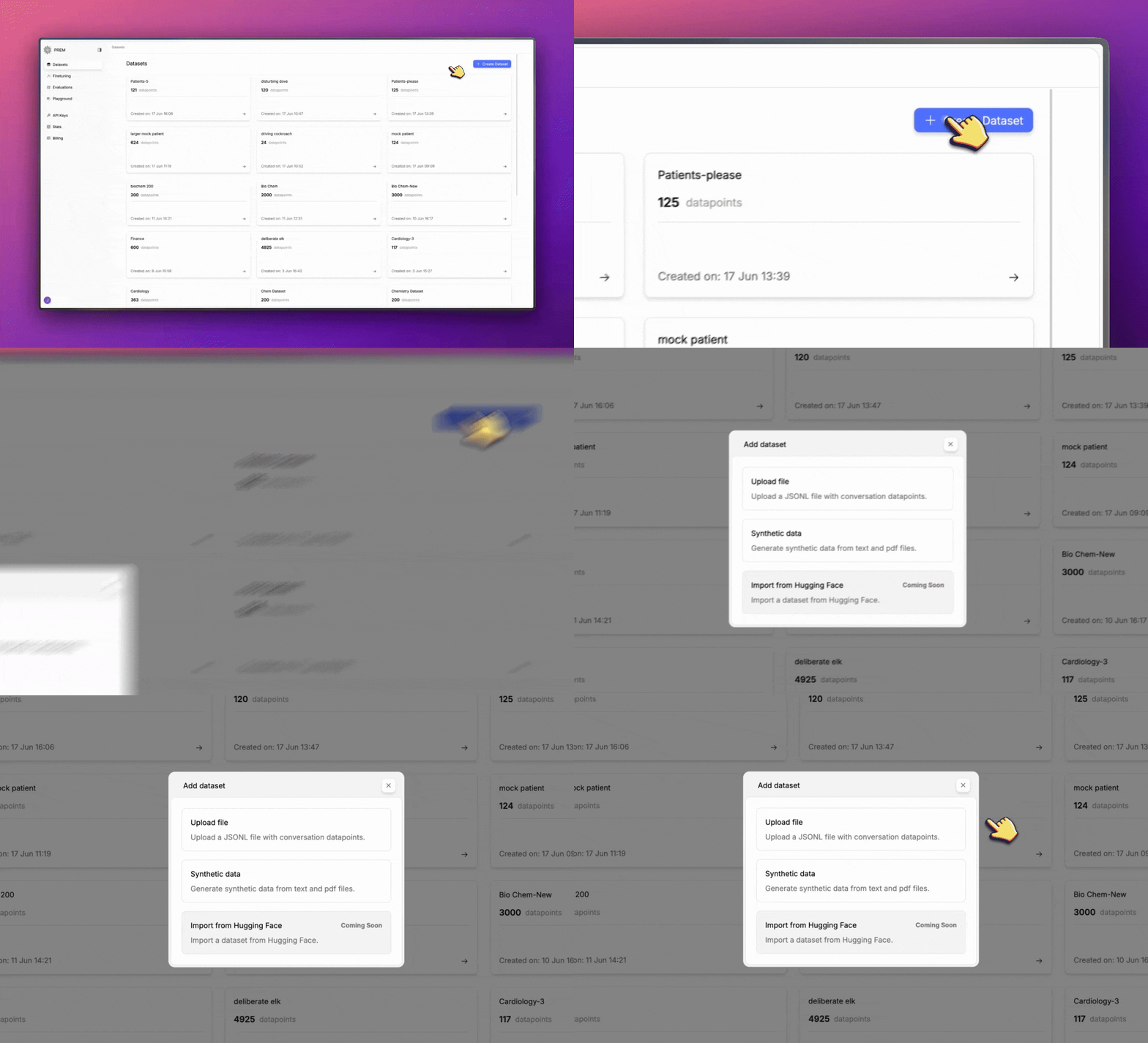
Select Upload File Option
In the dataset creation modal, select Upload file to upload an existing JSONL dataset.
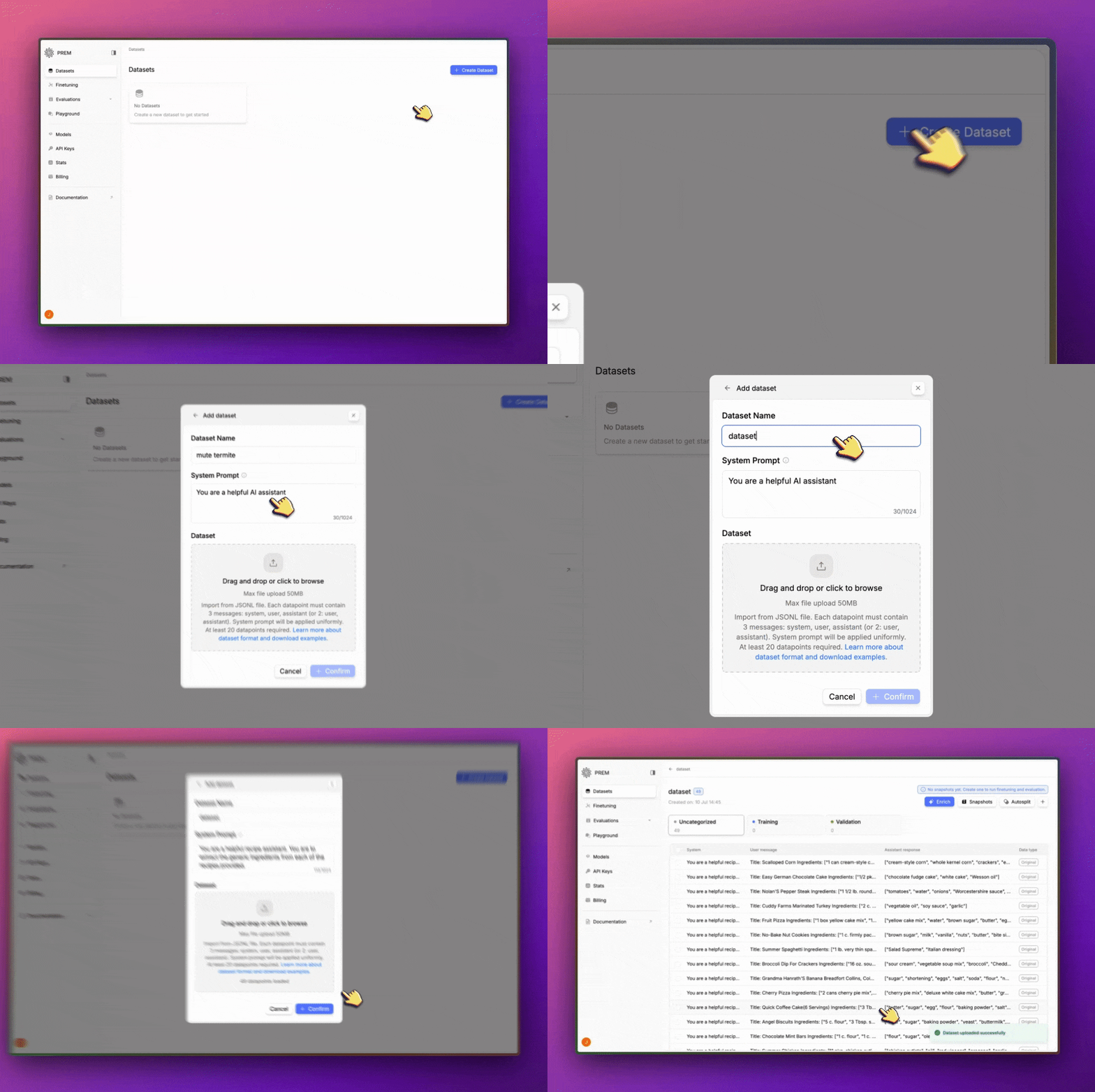
Dataset Format Requirements
Your JSONL file should follow the standard format where each line contains a JSON object with amessages field. Each message should have:
- A
rolefield:"system","user", or"assistant" - A
contentfield: containing the actual text
Next Steps
Create a Snapshot
Create a snapshot of your dataset to save your current state.
Enrich a Dataset
Start a data augmentation job to add synthetic data to your dataset.
Autosplit a Dataset
Automatically split your dataset into training, validation, and test sets.
Fine-Tune a Model
Fine-tune a model on your dataset.