

Generate a Dataset with Synthetic Data Generation
Synthetic data generation lets you create datasets from various input sources beyond JSONL. You can import documents, scrape websites, process YouTube videos, or combine multiple sources into one dataset.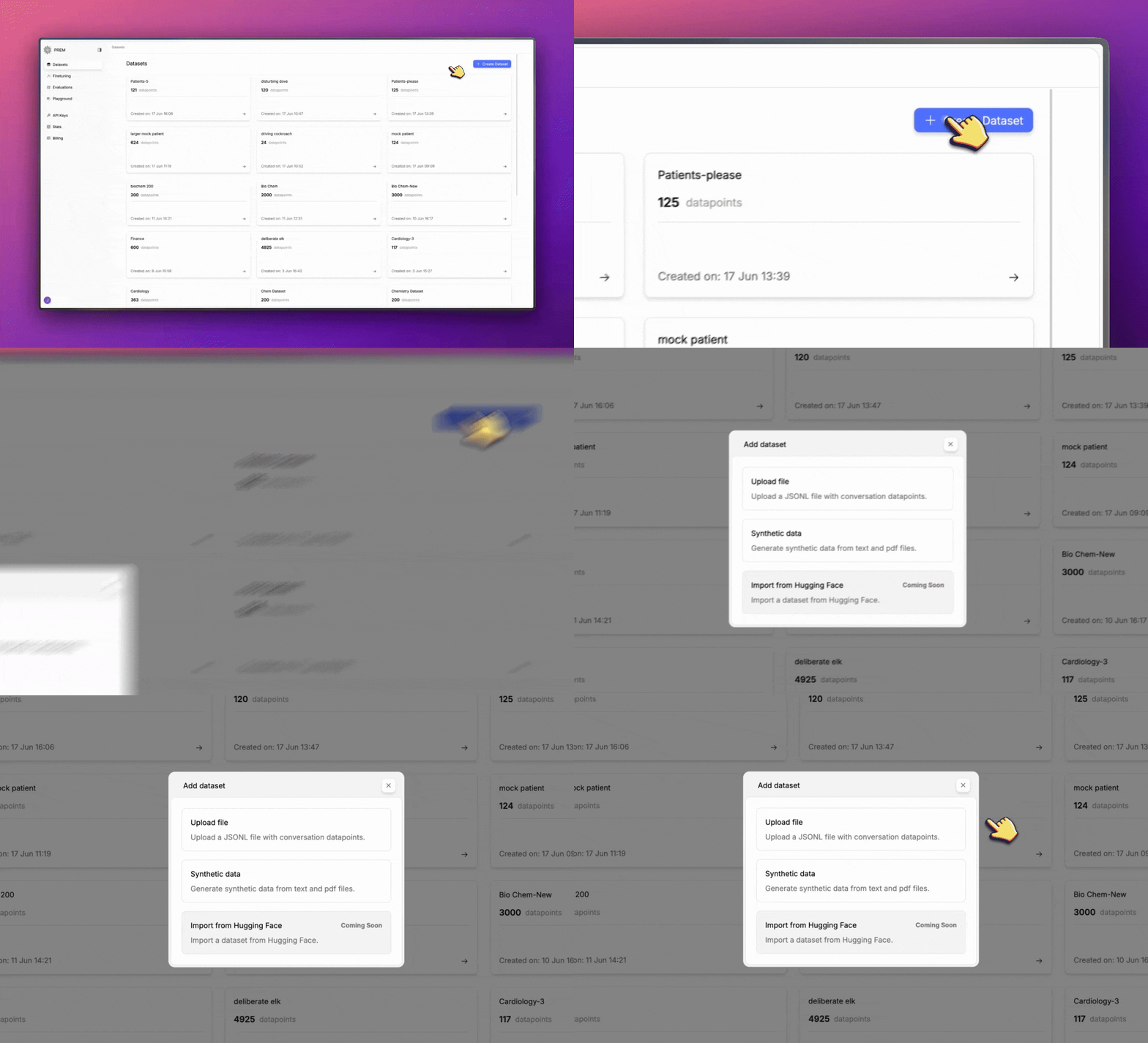
Select Synthetic Data Option
In the dataset creation modal, select Synthetic data to generate a dataset from your content.
Step 1: Define Dataset and Sources
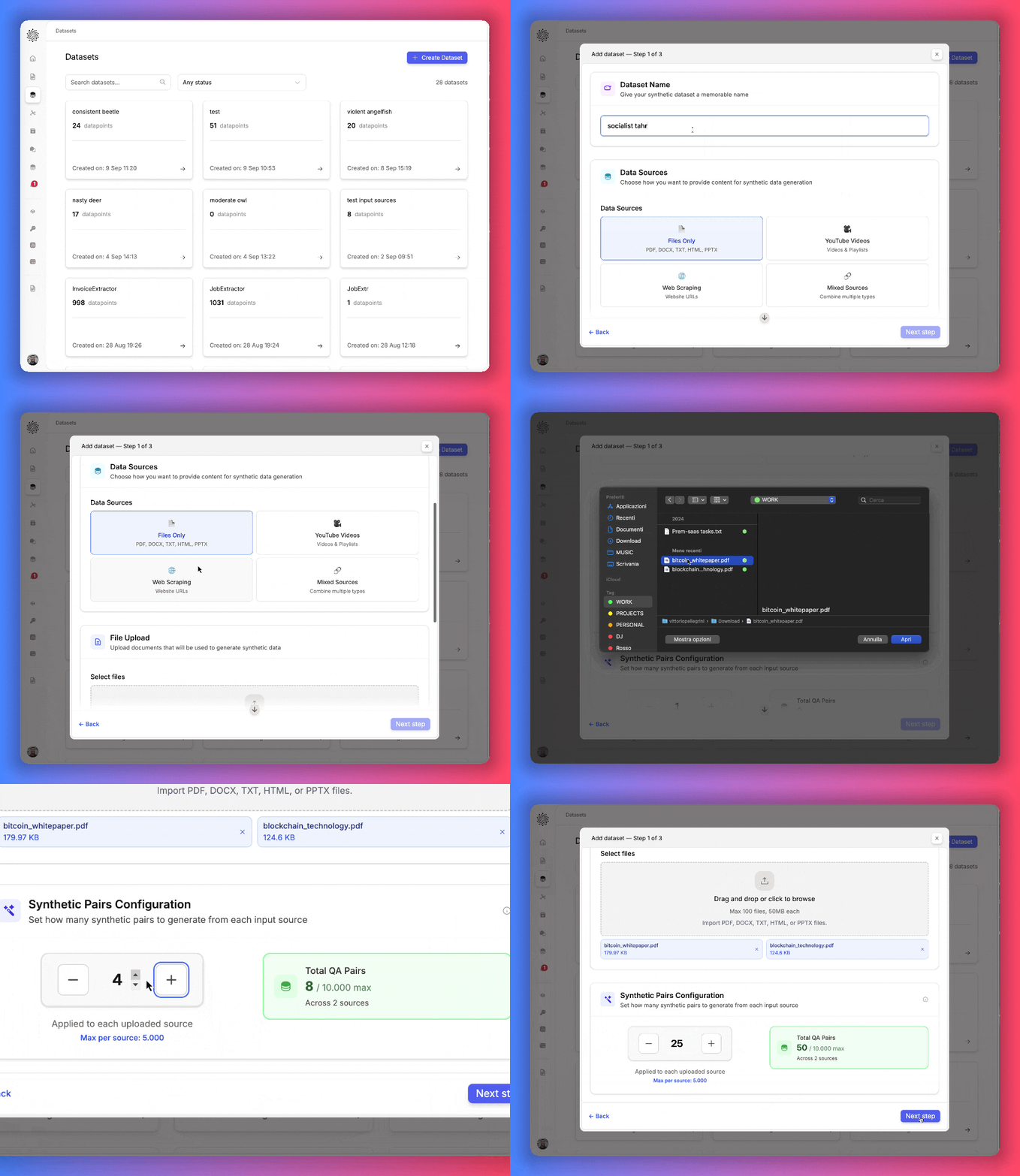
- Enter a descriptive dataset name.
- Choose one or more data sources:
- Files Only: PDF, DOCX, TXT, HTML, PPTX
- YouTube Videos: individual videos or playlists
- Web Scraping: one or more website URLs
- Mixed Sources: combine multiple input types
- Set the number of QA pairs to generate from each source.
Step 2: Set Optional Guidance (Optional)
Get control of the generation process by setting additional parameters: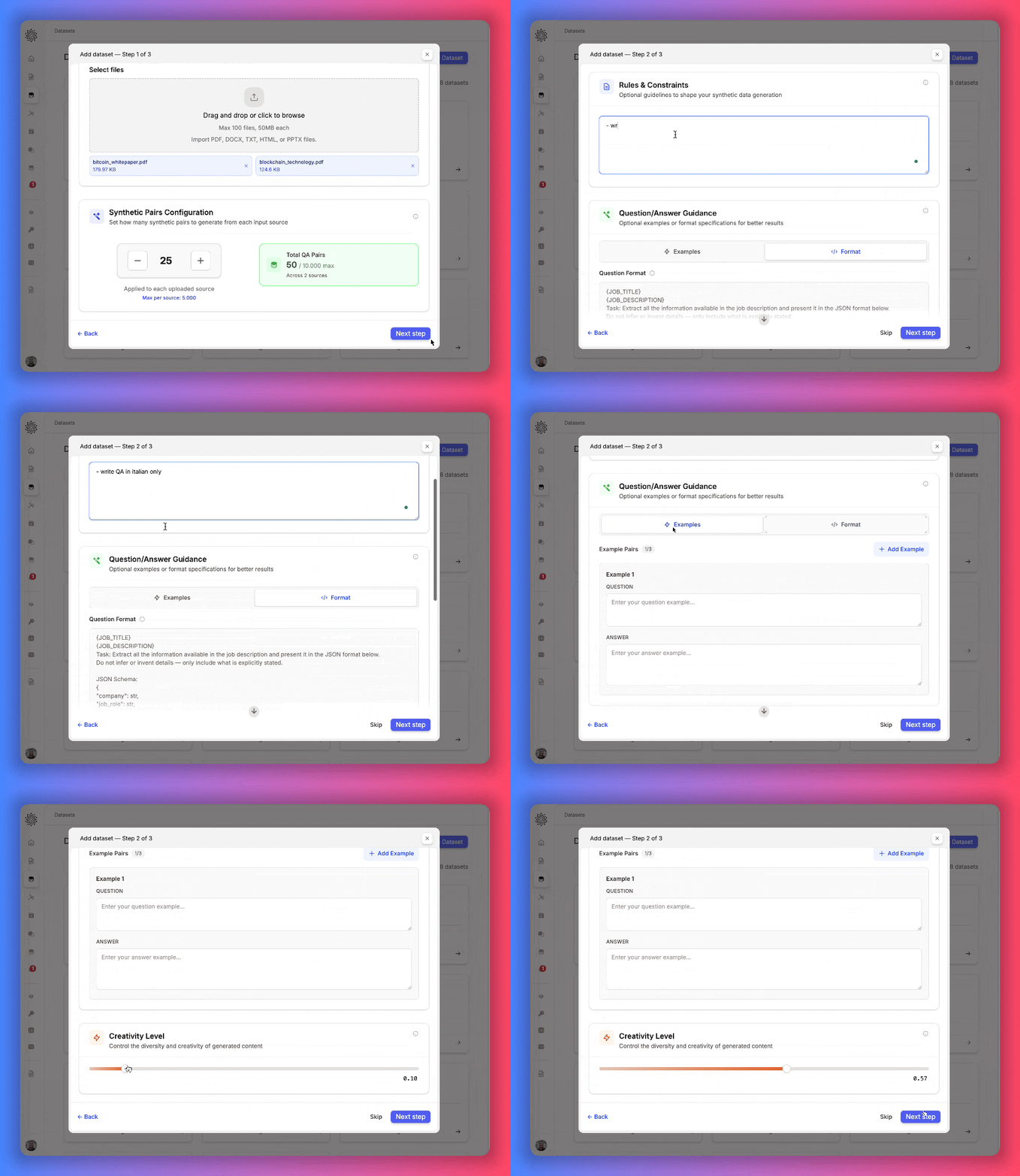
- Rules & Constraints – add conditions for the generated content (e.g., enforce style, define tone, restrict scope).
- QA Guidance – provide example pairs or specify output formats.
- Creativity Level – adjust the model’s temperature to balance consistency vs. variety.
Options for Synthetic Data Generation
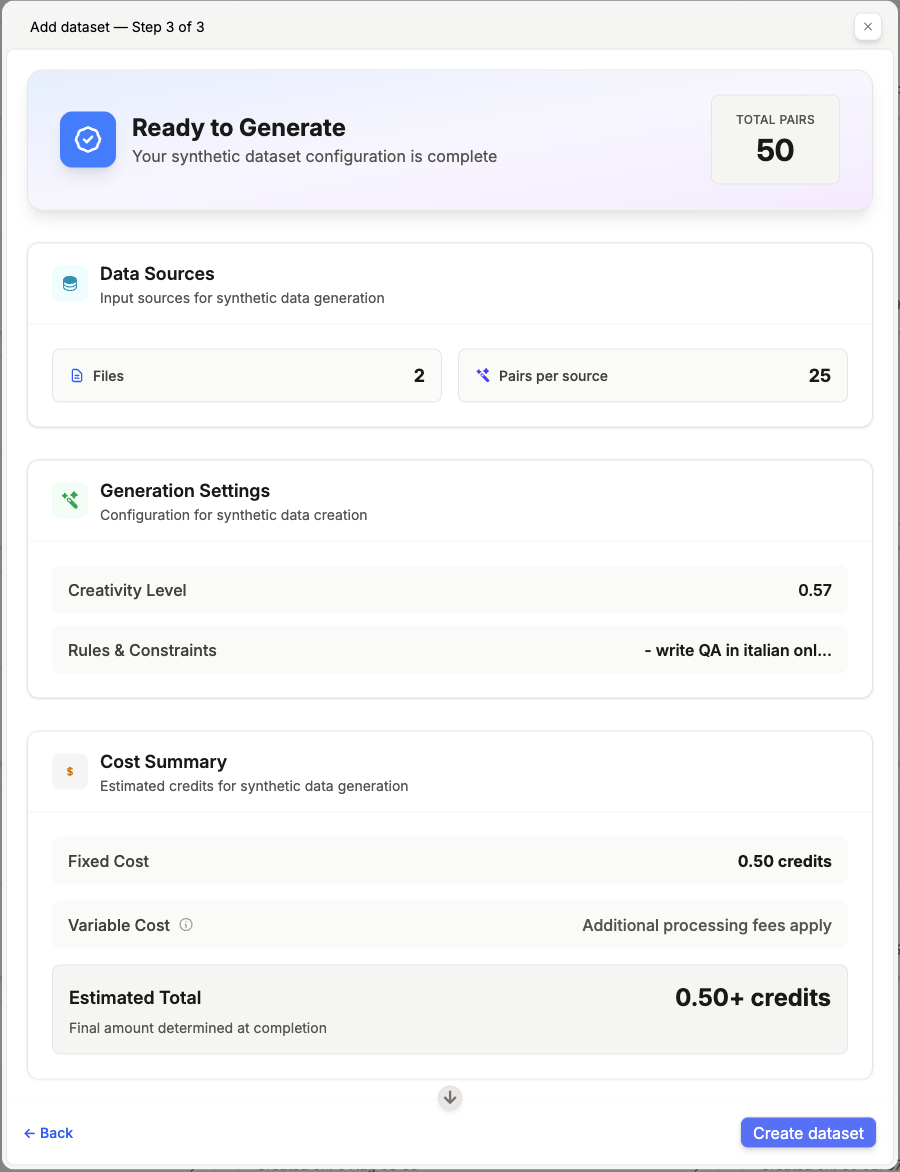
When generating synthetic datasets, you can configure:- Data Sources – files, YouTube videos, websites, or a mix.
- Synthetic Pairs Configuration – number of QA pairs per input.
- Rules & Constraints – optional rules to shape the outputs.
- QA Guidance – add examples or output specifications.
- Creativity Level – control the randomness of the generation.
Next Steps
Create a Snapshot
Create a snapshot of your dataset to save your current state.
Enrich a Dataset
Start a data augmentation job to add synthetic data to your dataset.
Autosplit a Dataset
Automatically split your dataset into training, validation, and test sets.
Fine-Tune a Model
Fine-tune a model on your dataset.